How to change armor appearance in Monster Hunter Wilds
Here’s everything you need to know about layered armor – Wilds’ transmog system – so you can slay monsters in style.
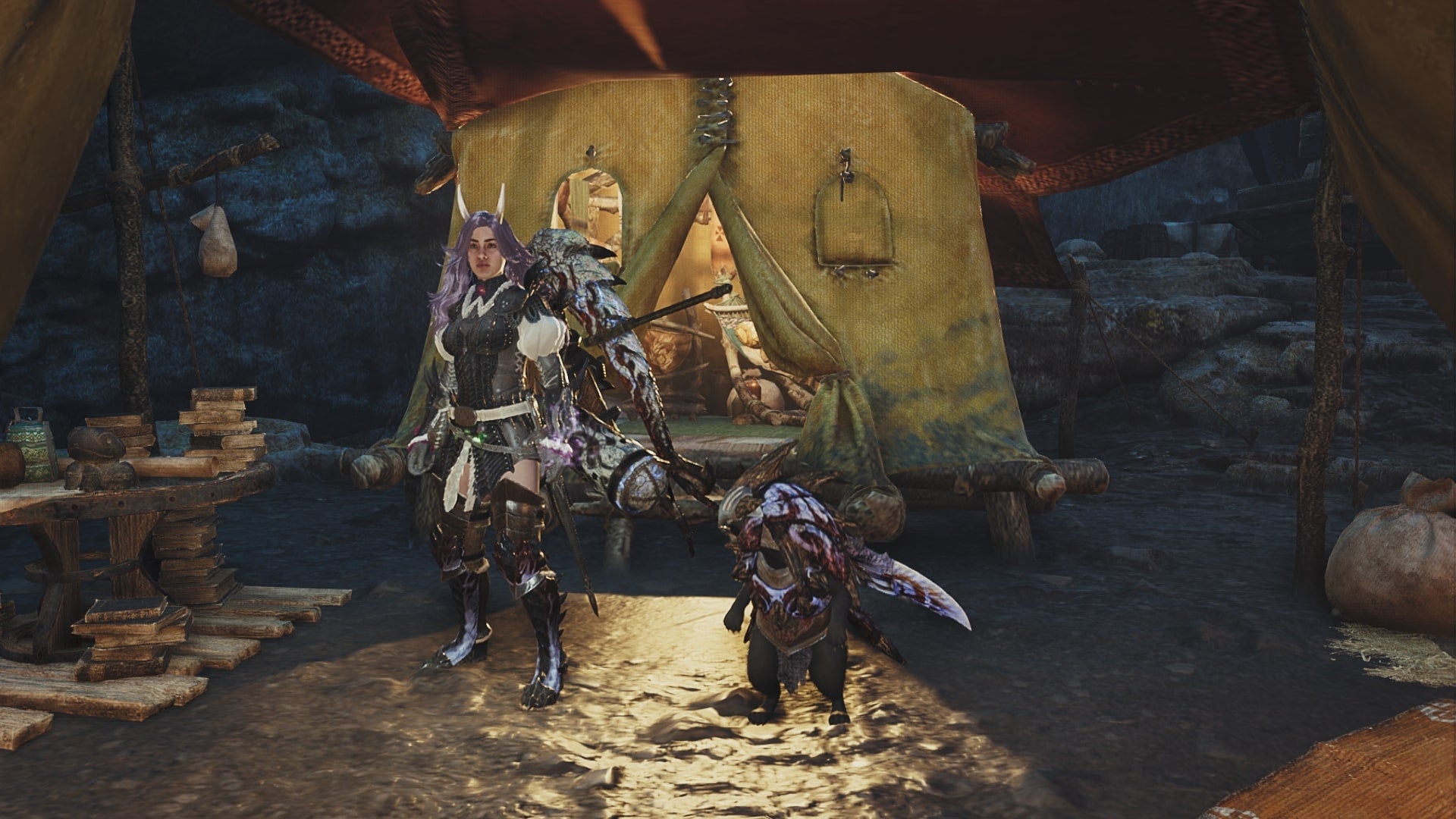
Image credit:Capcom/VG247

Monster Hunter Wilds ’ boasts an abundance of armor sets to mix and match with one another, and some of them are much more fashionable than others. But what if I told you that you can don the stats of that powerful, late-game armor set while taking on the appearance of the Lala Barina set, or whatever else takes your fancy? This is where Layered Armor comes in.
Not immediately available to you in Monster Hunter Wilds, Layered Armor is a later unlock in the game’s story and essentially acts as a transmog system , allowing you to wear a piece of armor while taking on the appearance of another. To help you make sense of it, here’s how to change armor appearance in Monster Hunter Wilds .
How to change armor appearance in Monster Hunter Wilds
To change the appearance of your armor in Monster Hunter Wilds, you first need to unlock some layered armor! This is done by crafting High Rank armor via the Smithy. Most High Rank pieces of gear you forge will ultimately become available to wear as a piece of layered armor.
For example, let’s say you own the Guild Knight armor set (a pre-order bonus). You will be able to then equip this as layered armor, while maintaining the stats of whatever existing set of armor you’re currently wearing. So, until you’ve crafted plenty of High Rank armor, your options for layered armor might be limited.
Housekeeping out of the way, let’s go about actually equipping some layered armor! Make sure that you have the armor pieces whose stats you want equipped and pay a visit to your Tent .
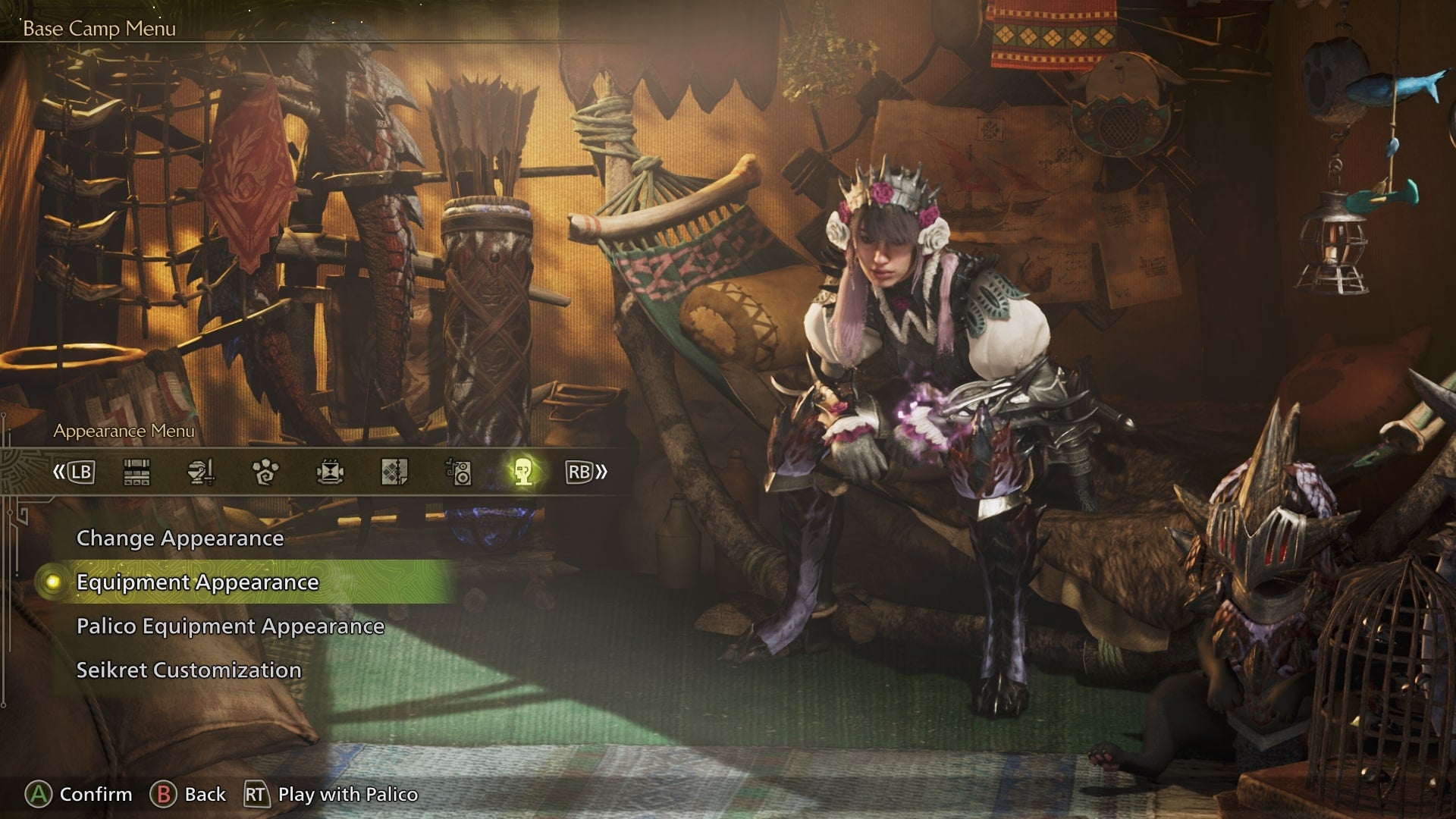
Equip layered armor using the Equipment Appearance tab in the Appearance Menu at your Tent. |Image credit:Capcom/VG247
Open up the Appearance Menu . Then, select ‘Equipment Appearance’, and your Hunter will stand up – showing off their armor – and all your equipped gear will be presented on the right-hand side of the screen.
To then equip a piece of layered armor, simply select the armor piece you wish to modify , and you’ll then be presented with a list of all your available layered armor. You can then select the piece you wish to take on the appearance of . For example, I selected my Lala Barina headpiece and had this take on the appearance of the Oni Horns Wig, while maintaining the headpieces stats. It’s that simple!
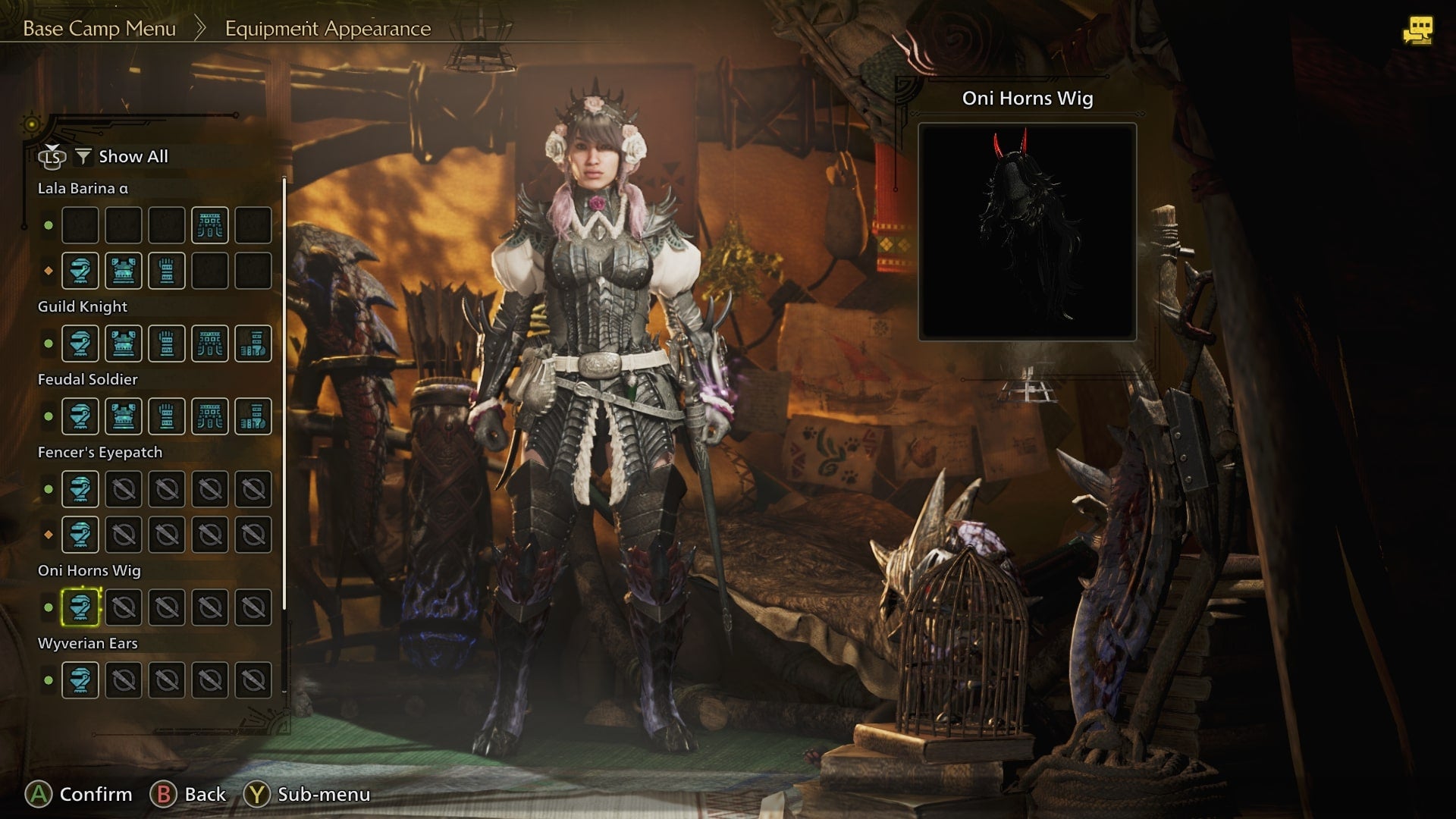
Select the armor piece you wish to modify, and then choose the armor piece you wish to take the appearance of from this list of layered armor. |Image credit:Capcom/VG247
Back on the main page of the Equipment Menu, you’ll also notice that to the right of each piece of armor, you can modify the colours of what you’re wearing if you feel like customising things even further!
For more on Monster Hunter Wilds, take a look at the best weapons in the game, all Large Monsters you’ll be facing and their weaknesses, and all Endemic Life , which you ought to go and capture sooner or later!
Monster Hunter Wilds
Video Game
Sign in and unlock a world of features

